Agent-ready AV for lecture capture
Troubleshoot rooms without the walk
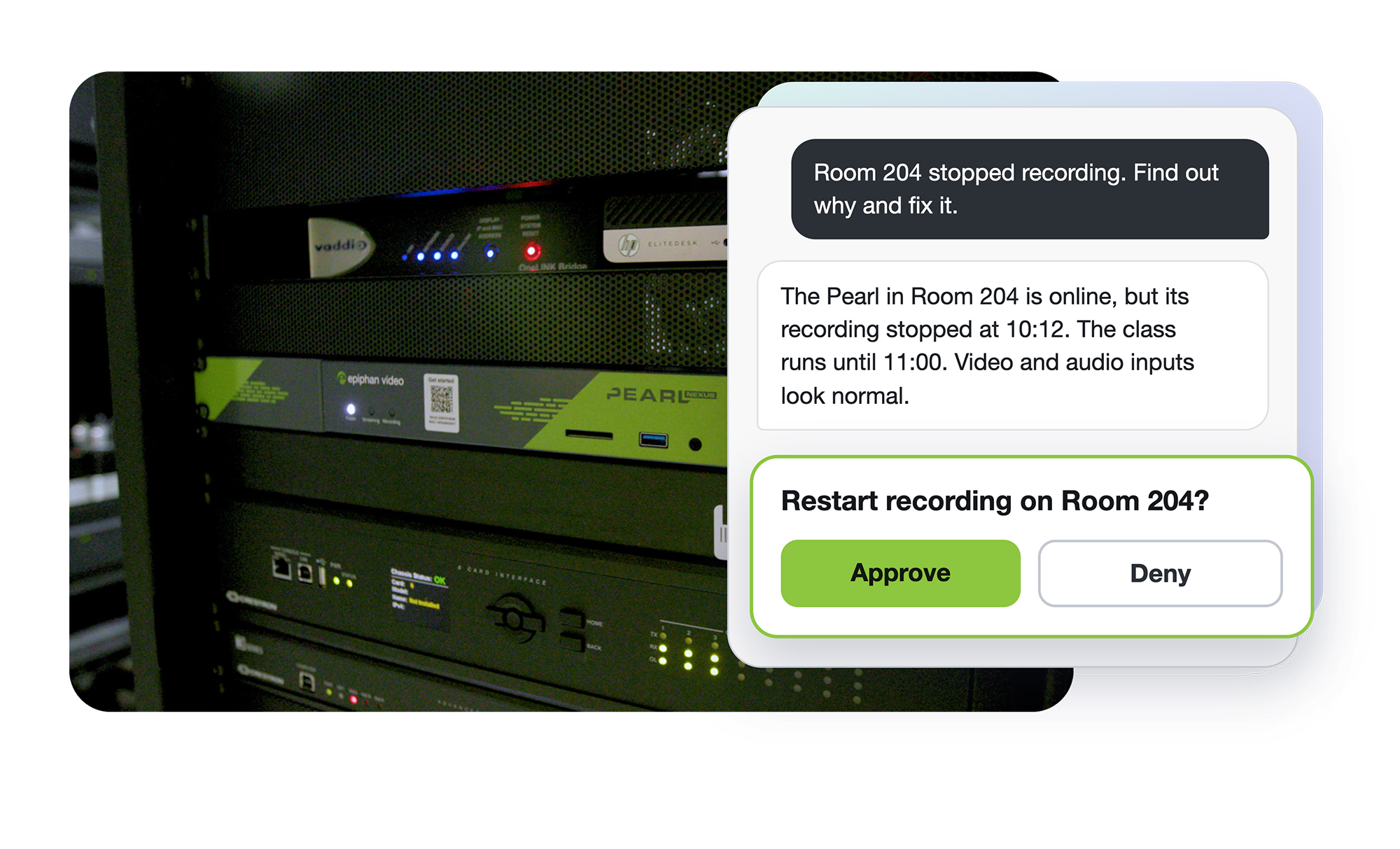
Ask Claude or ChatGPT what’s wrong in any room on your Pearl fleet. Your assistant checks the device, the sources, the audio, and the schedule, then fixes it with your approval.
What is agent-ready AV?
Spend less of your morning chasing rooms
One answer, not five tabs
Your assistant pulls device status, recorder state, sources, audio levels, and the CMS schedule for a room into one reply.
Fix it where you found it
Restart a recording, extend a running event, or reboot a device in the same conversation, without walking to the room.
You stay in charge
Claude and ChatGPT ask you to approve each change, and your assistant can only do what your role in Epiphan Edge allows.
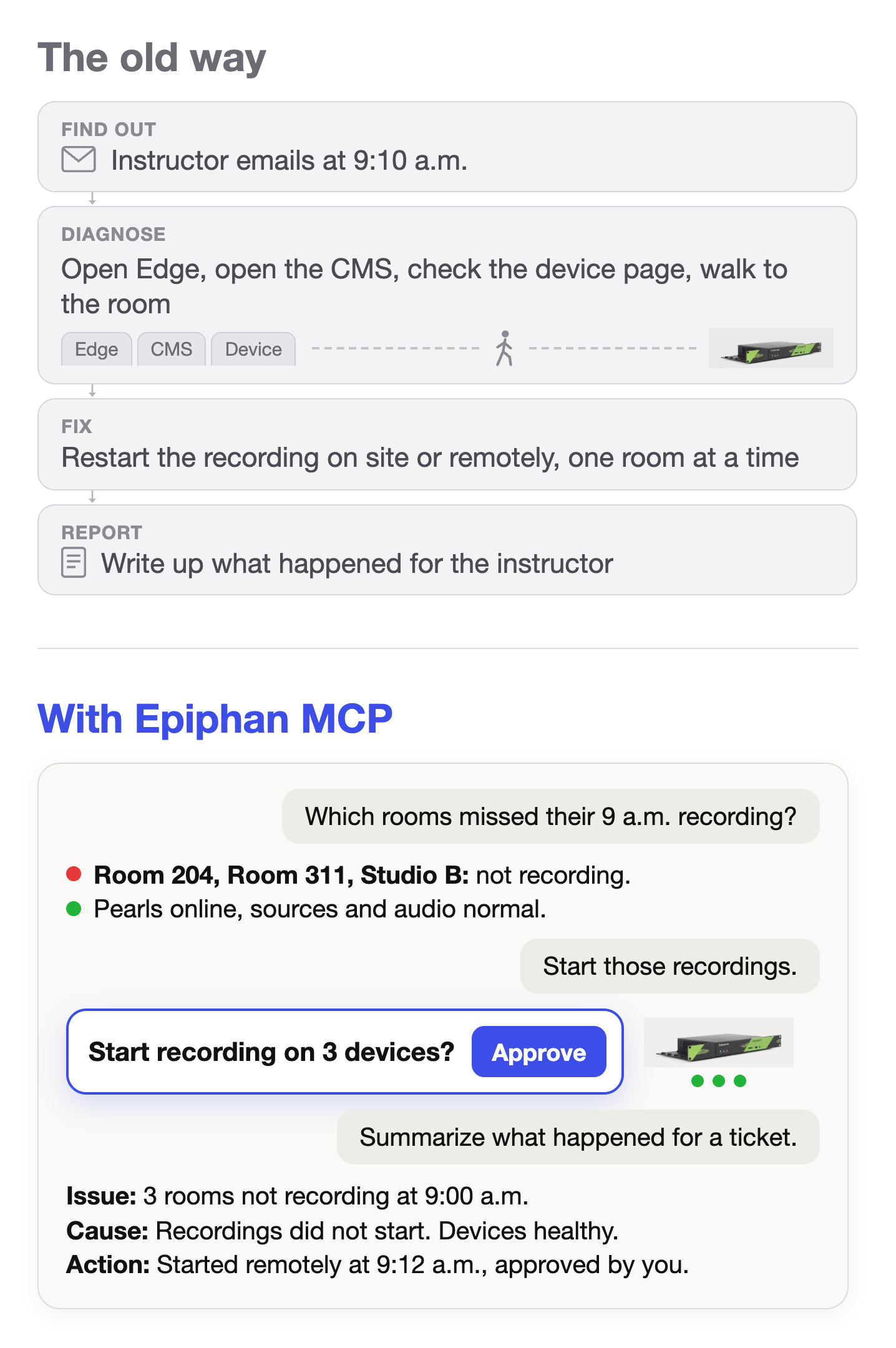
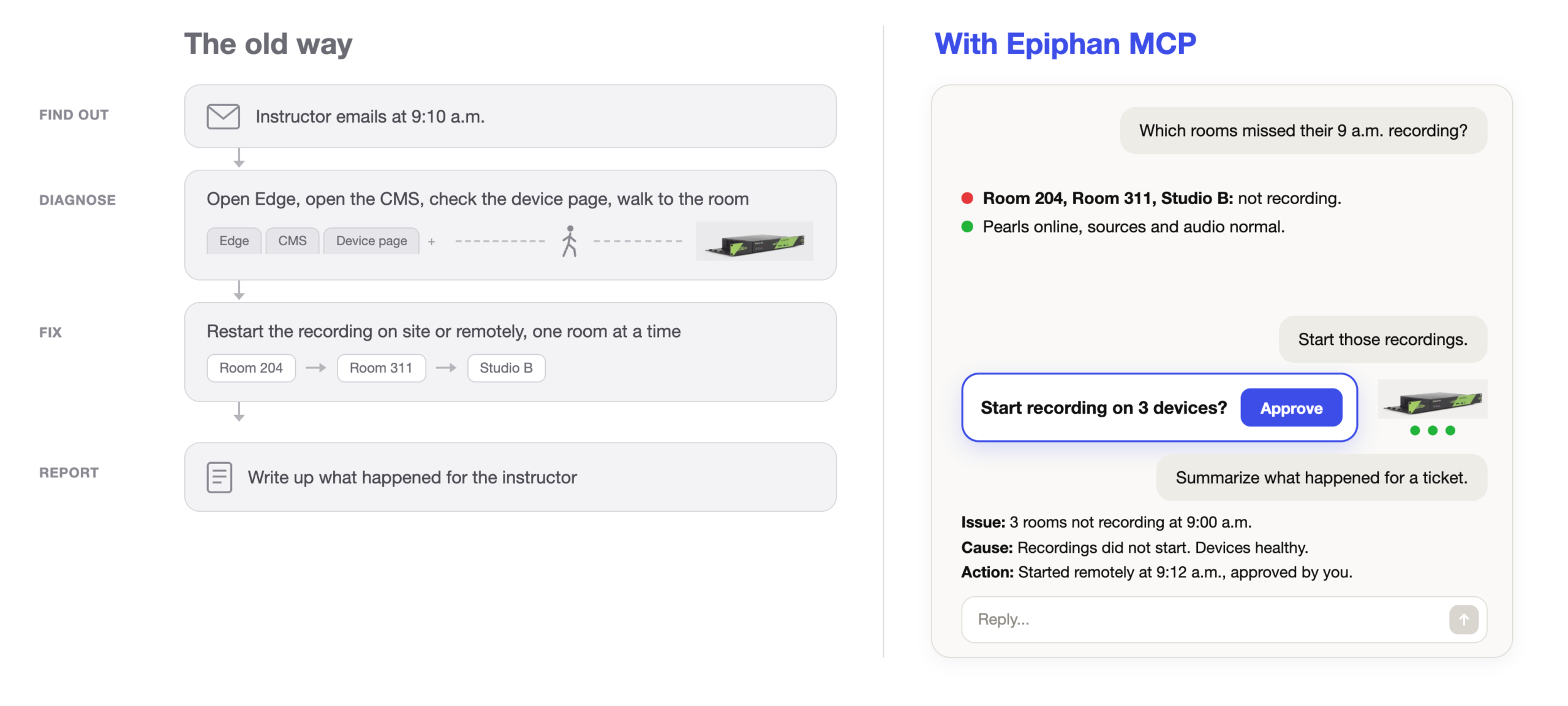
A failed recording, two ways
You stay in control of every room
-

You approve each change
Claude and ChatGPT ask before your assistant restarts, extends, or reboots anything.
-

Your role sets the limits
If your role in Epiphan Edge can’t start a recording, your assistant can’t either.
-

Your login, one team
You sign in with your own Edge account and pick one team. Revoke the connection from Edge any time.
Three problems your assistant can track down
Find the rooms that will fail before class starts
Spot the Pearls that are offline, short on storage, or showing warnings across the whole fleet, before the 8 a.m. rush.
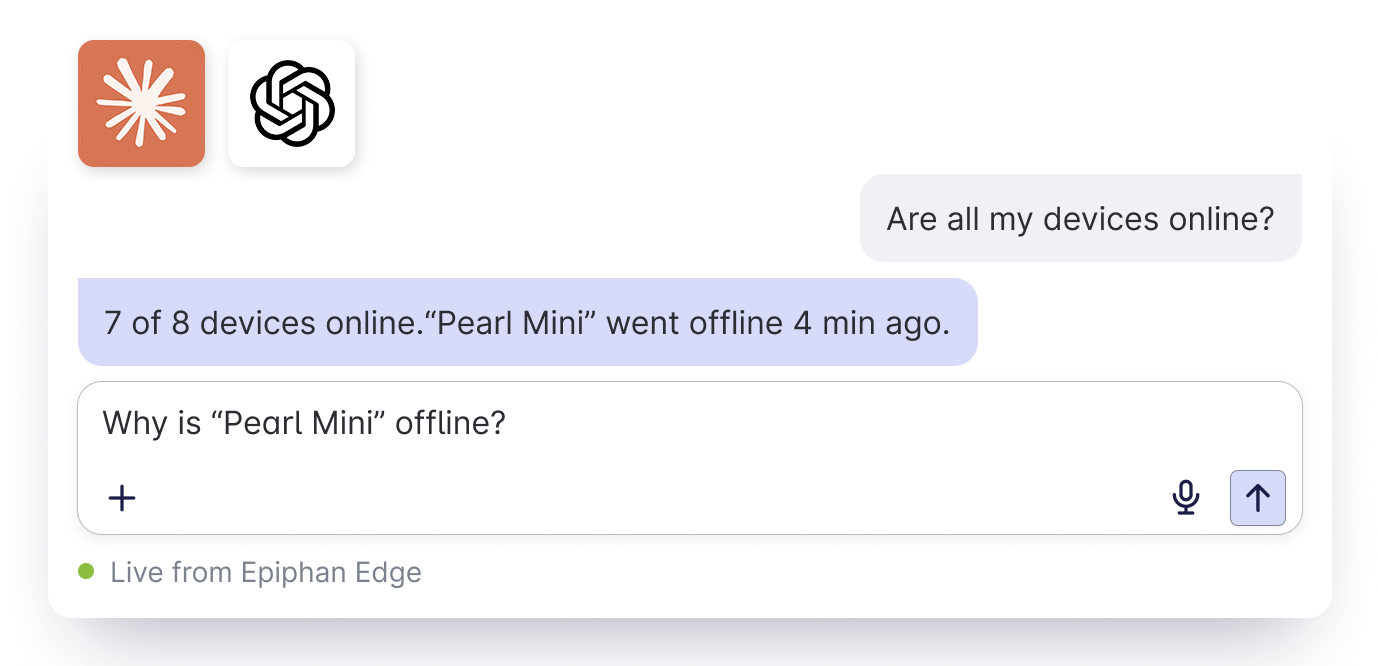
Check all my devices for readiness
Track down missing video or sound
An instructor says the recording has no audio. Pull the room’s live channel image and audio levels to see which input is the problem.
Show me the channel image and audio levels for [insert room number], and confirm the video and sound are coming through
Fix a recording that stopped
Your assistant checks the room’s Pearl, finds the cause, and asks before it restarts anything.
[Insert room number] stopped recording. Find out why and fix it.
How does it work?
Lecture capture troubleshooting using AI assistants like Claude and ChatGPT is possible through Epiphan MCP (Model Context Protocol). Epiphan MCP is a connector that allows Epiphan Edge to talk to AI using natural language.
What your assistant can check and do
Ask Free with Edge
Fleet status
Device info and system status for every Pearl on your team
Recorder and storage
Which rooms are recording and which are short on space
Sources and audio
Live channel images and audio levels for any room
Class schedule
Scheduled events in Epiphan CMS, room by room
Act Edge Premium
Recording control
Start, stop, pause, and resume on one channel or many
Scheduled events
Create, extend, pause, and resume events in Epiphan CMS
Presets
Apply a saved preset to a group of devices
Reboot and firmware
Reboot devices and update firmware between classes
Frequently Asked Questions
It means asking a connected AI tool, such as Claude, ChatGPT, or Gemini, why a recording failed instead of checking each system by hand. The agent pulls device state, signal status, and CMS delivery status from Epiphan Edge and answers in plain language, without a human translating in between.
The most common causes are a frozen input, silent audio, a dropped signal, or a failed handoff to the CMS. An agent connected to Epiphan Edge checks all of these at once instead of one at a time, and names the specific failure instead of a general error.
No. Pearl continues to push captured content to whichever CMS your institution uses, including Panopto and Echo360. If a recording isn’t reaching your CMS, the agent-ready layer identifies that specific failure instead of leaving your team to guess whether the problem is upstream or downstream of the device.
Yes. Epiphan MCP is available on Epiphan Edge as of October 2026. Status questions, including lecture capture troubleshooting, are included at no additional cost for every Edge user. Taking action, such as restarting a device or changing a configuration remotely, requires the paid tier instead.
Each agent authenticates through an API token or an OAuth-based integration, and the credential’s scope determines what it can do. Read-only access for troubleshooting stays separate from write access for control, and every action an agent takes is recorded in an audit log your IT team can review.
Yes, you’ll need an account with an AI tool like Claude and ChatGPT. Epiphan does not provide the AI tool. It’s BYOAA (bring your own AI assistant).
Any AI tool that supports MCP as a client. Claude supports it today, with support in ChatGPT, Copilot, and Gemini expanding through 2026. Epiphan does not require your institution to standardize on a particular AI vendor to use this, since the connection runs through the open protocol rather than a proprietary integration.