Products

Dev. Kit
Dev. Kit Pro
DaVinci Dev Kit
Discontinued

Buy Online

Price: $ 1,999

Buy Now

plus shipping and ex­cluding local duties and taxes (VAT), if applicable
Please review our Shipping and Return policies.

FedEx

Available, Ships in 2-3 days

Case studies

Education:
Lecture Recorder Archives Lectures Supporting Problem-Based Learning Strategy
IT / Computing:
Record Meetings, Archive and Upload to FTP Server
Healthcare:
Using Lecture Recorder in Diagnostics Tests for Dyslexia
Other:
Recording Events from Polycom Conferencing Systems

 Other solutions
Bookmark and Share
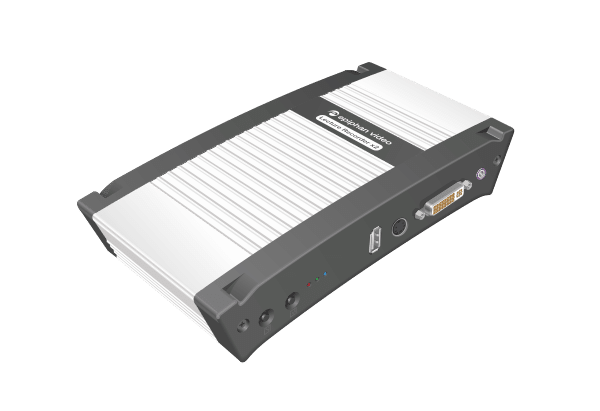
Epiphan Lecture Recorder image

Epiphan Lecture Recorder

Product Overview

Epiphan Lecture Recorder™ (ELR) is Epiphan's DVI/VGA video, and audio capture device designed for educational and training institutions, classrooms and conference halls that want to record lectures, presentations and training.

Key Features

Lecture recording

Epiphan Lecture Recorder puts educational institutions and distance education providers in full control of the content they want to record. There are no license or maintenance fees to pay when using the ELR, and there is no limit to the number of ELR devices that can be on the same network. Furthermore, the Epiphan Lecture Recorder can be personalized with any logo or text on the top panel.

Learn more about how to capture, record and broadcast lectures with Lecture Recorder.


Integrated VGA/DVI support – ELR comes packed with an integrated frame grabber on-board. It is able to capture signals from both VGA and DVI sources at  resolutions up to 1920x1080 and can achieve capture rates of up to 30 frames per second, meaning that even full motion video and animations that are shown on the presenter’s computer are captured, archived, and broadcast in the highest possible quality.

Audio/ Composite video – An older model of Epiphan Lecture Recorder supports Composite video and analog audio inputs lets you capture full motion video from analog cameras and synchronize it with a high-quality audio stream. Note: Composite video cannot be captured if the DVI or VGA input is being used. The DVI/VGA frame rate on the older model is lower. If you would like to order this older model, please Contact Epiphan

Internal memory – The Epiphan Lecture Recorder appliance has 32GB internal solid-state memory allocated to its buffer meaning that, even if the network is busy or experiencing slow transfer rates, no captured data is lost.

Lecture Recorder Start / Stop Record Controls

Lecture Recorder provides a number of external and internal methods to start and stop recording as listed below

Web User Interface
Toggle Button
Epiphan Lecture Recorder web gui record start stop
Lecture Recorder Web user interface One click to start/stop recording
Epiphan Lecture Recorder button record start stop
External push button toggles to start/stop recording
USB Mouse
iPhone/iPad/iTouch
Epiphan Lecture Recorder mouse record start stop
External mouse plugged into USB port to control to start / stop recording
  • Left : start
  • Mid : Stop
  • Right : Toggle Record
Epiphan Lecture Recorder iPad, iTouch, iPhone record start stop
Use an iPad, iTouch, iPhone to start and stop recording.
Learn more how to install the iPad/iPhone client for Epiphan Recording products.
EpiphanTouch - http://itunes.apple.com/pk/app/epiphantouch/id424405619?mt=8#
HTTP Command API
HTTP Command API
Epiphan Lecture Recorder http command start stop
Create custom web page controls using HTTP API. Integrate HTTP commands with web based command and control systems such as room scheduling systems.
Epiphan Lecture Recorder RS232 command start stop
Create custom web page controls using RS-232 API to integrate with AV control systems such as AMX or Crestron.

Lecture Recorder Form Factor and Connectors

Epiphan Lecture Recorder Epiphan Lecture Recorder Epiphan Lecture Recorder


More Information

Live Demo - See the Lecture Recorder in action. Enter username admin and leave password blank, if requested.

Case Studies - See how Epiphan Systems Lecture Recorder is used for video and image capture by users all over the world.

FAQ - Look through the most asked questions about the Lecture Recorder.