Pearl Mini User Guide
Remove the combing effect on images
When frames are interlaced, artifacts from one frame may appear on the next frame. This happens when a fast motion video is interlaced.
Since each frame is captured from a different point in time, the action captured in one frame is carried over to the next frame. The result is a blurred image and horizontal lines running across the video.
Convert an interlaced source signal to a non-interlaced signal using the Admin panel
- Log in to the Admin panel as admin. See: Connect to the Admin panel.
-
From the Inputs menu, click the source name. The configuration page for the source opens.
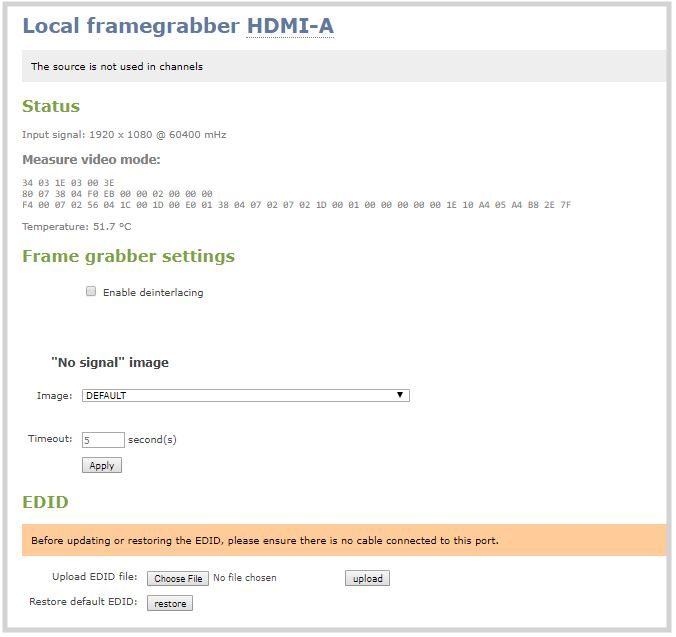
- Check Enable deinterlace and click Apply.