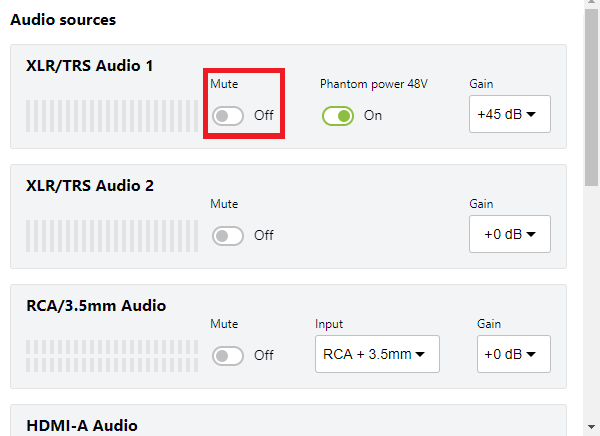
Mute audio
You can mute any audio input source using the touch screen, the web interface, and Epiphan Cloud when LiveScrypt is paired with your Epiphan Cloud team.
The RCA and 3.5 mm audio input ports share internal audio processing resources. Muting an audio input that shares internal resources mutes all the associated audio sources. To associate audio sources to RCA/3.5 mm Audio, see Assign audio sources to an input.
To mute an audio source:
- Open the device Settings:
- Using the touch screen and web interface, select Settings
 .
. - Using Epiphan Cloud, select the LiveScrypt devices icon in the side navigation panel, and then select a LiveScrypt device to open the device Settings.
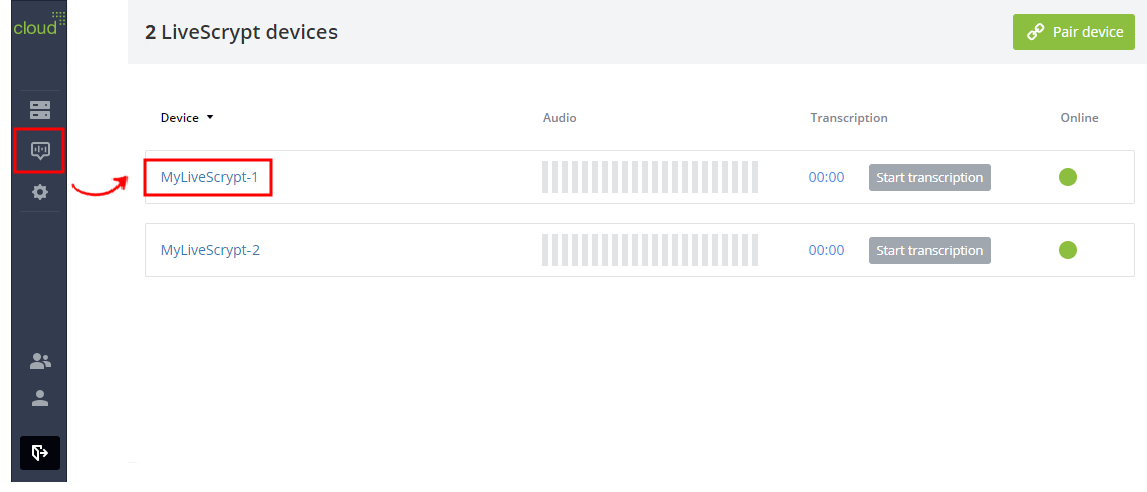
You can also open the LiveScrypt device settings page from the Devices Dashboard when you click the LiveScrypt device name or click the three dots in the row for the LiveScrypt device and select Settings.
- Using the touch screen and web interface, select Settings
- From the Settings, select Audio. The Audio menu opens.
- Toggle the Mute switch On or Off for the audio source.
- Select Apply if you're using the touch screen or web interface.