AV.io HD User Guide
Set up your AV.io HD for capture
To connect your AV.io HD for capture:
- Connect your AV.io HD device to your video source, ideally directly to the source, but some video sources may require special adapters
- Connect your AV.io HD device to your desktop computer, laptop, or notebook
- Open your favorite third-party application, select AV.io HD from the list of available input sources, and start capturing!
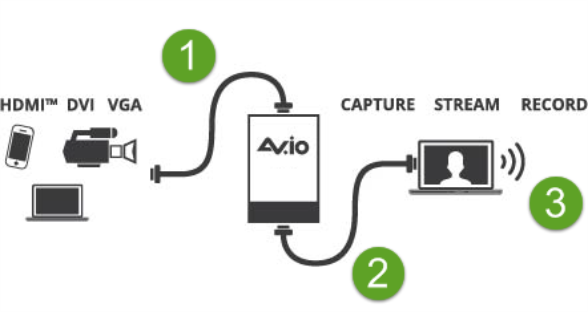
And that’s it! No drivers to install and no extensive set-up! Just connect the cables and you’re ready to go!