User types and privileges
There are different types of user accounts:
- Administrator
- Operator
Your Epiphan Cloud user type will determine your Epiphan Unify user type. For example, If you are logged into Epiphan Cloud as admin when you log into Epiphan Unify, you will log into Epiphan Unify as administrator. If you are logged into Epiphan Cloud as operator when you log into Epiphan Unify, you will log into Epiphan Unify as operator.
Administrator
The administrator account is used for all system configuration and has full access to all configuration features with full access to the web-based Admin panel, local console, and remote log in access.
Operator
The operator account allows users limited configuration control with limited access to the web-based Admin panel and remote login access.
Operators can to do the following:
- Configure inputs
- Control recordings (start and stop)
- Rename, download and delete recordings
- Perform network diagnostics
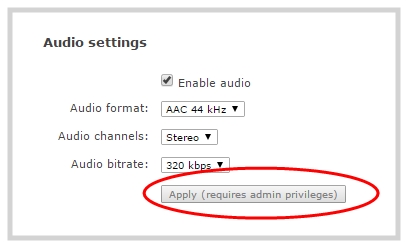
If an operator does not have the privileges to apply a particular configuration in the Admin panel, the Apply button appears grayed-out in color and is not selectable. Administrators can grant operators permission to perform some administrator tasks, see Assign administrator privileges to operators.
User privileges
The following table outlines the default privileges for each user level. For administrator-level privileges that can be assign to operators, see Assign administrator privileges to operators.
User privileges in the Admin panel
| Action or Menu Option | operator | admin |
|---|---|---|
| View channel output | ü | ü |
| Channel Operations | ||
| View channel configuration | ü | ü |
| Rename a channel | ü | |
| Configure stream channel | ü | |
| Configure stream sources | ü | |
| Start/stop recording | ü | ü |
| Start/stop a stream | ü | ü |
| Configure channel metadata | ü | |
| View recorded files list | ü | ü |
| Rename recorded files | ü | ü |
| Download recorded files | ü | ü |
| Delete recorded files | ü | ü |
| Input Source Operations | ||
| View input source configuration | ü | ü |
| Rename input | ü | |
| Configure input | ü | ü |
| View input snapshot | ü | ü |
| System Configuration Operations | ||
| View system configuration | ü | ü |
| Configure Automatic File Upload (AFU) | ü | |
| Configure date and time preferences |
ü | |
| Upload and delete media | ü | |
| Backup device configuration | ü | |
| Restore device configuration | ü | |
| View System Information | ü | ü |