About the Admin panel
The Admin panel is a web-based user interface that's used primarily to set up your Unify project and perform administrative tasks.
To access the Admin panel, see Connect to the Admin panel.
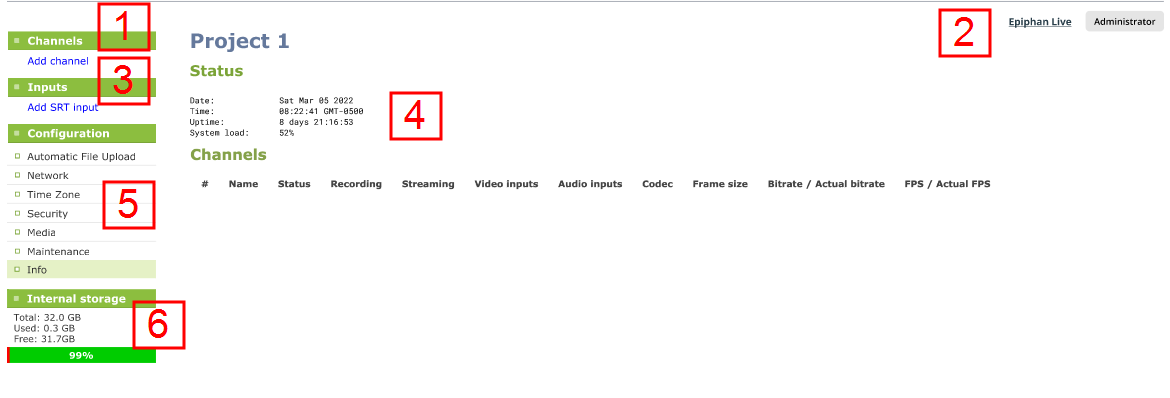
| Label | Name | Description |
|---|---|---|
|
1 |
Channels menu |
Click an existing channel for information about that channel, or click Add Channel to add a new channel. For more information, see Create a channel. |
|
2 |
Epiphan Live |
Click to switch to Epiphan Live. |
|
3 |
Inputs menu |
The available input ports are listed. Select a port to open the configuration and status page for that port. Click Add SRT input to add a new input. |
|
4 |
Main panel |
The main panel is where the selected menu information displays. What's displayed depends on which menu item you select. |
|
5 |
Configuration |
A list of all the available configuration options. |
|
6 |
Internal storage |
System details are displayed in this area, such as the total amount of storage, how much space is currently used, and how much free space is available. |